
Client Introduction
Stash
Stash supports iOS and macOS. The main workflow downloads a profile from Settings, selects a policy-group node, and starts proxy from Home.
Get subscription
Copy the subscription URL from your provider.
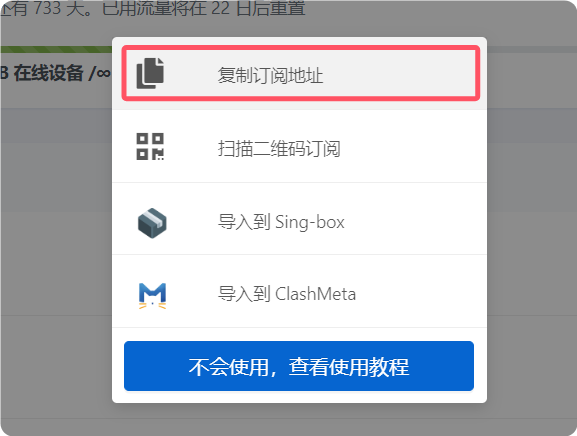
Add configuration
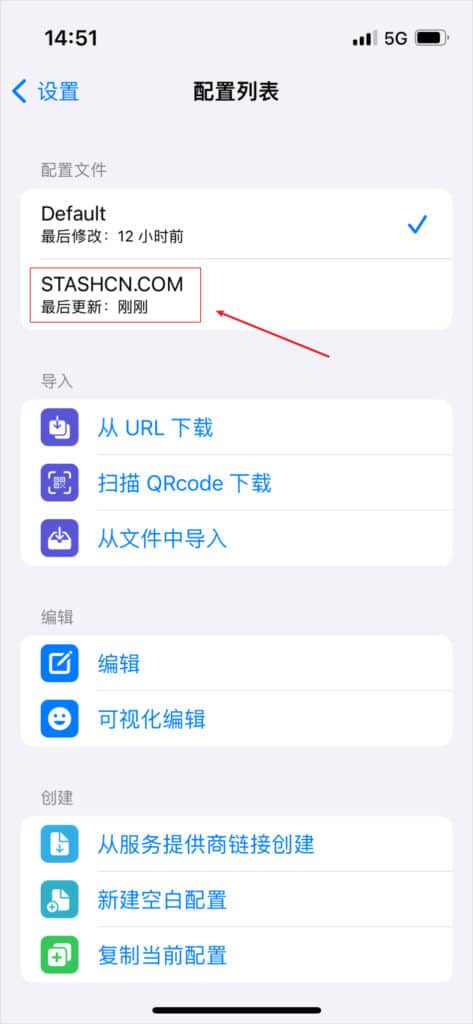
Tap Settings at the bottom, open Profiles, choose Download from URL in the profile list, then enter the subscription URL in the dialog and download it.
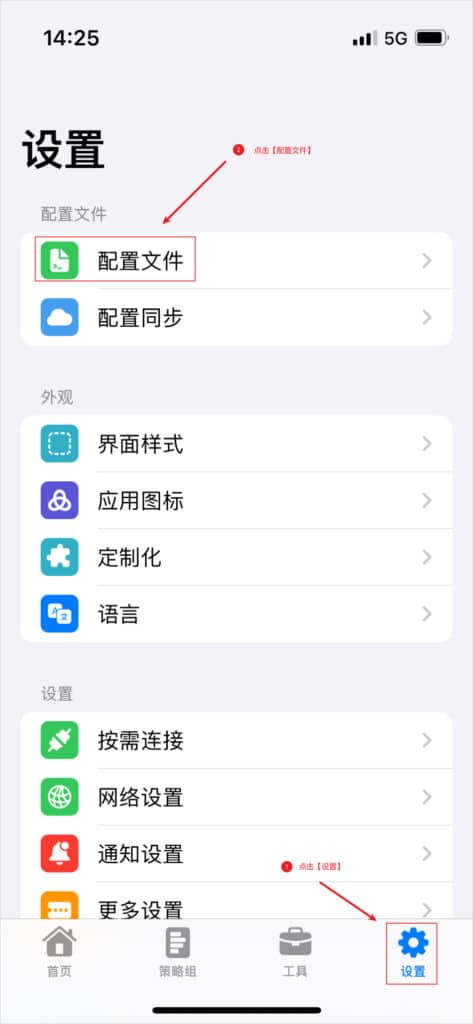

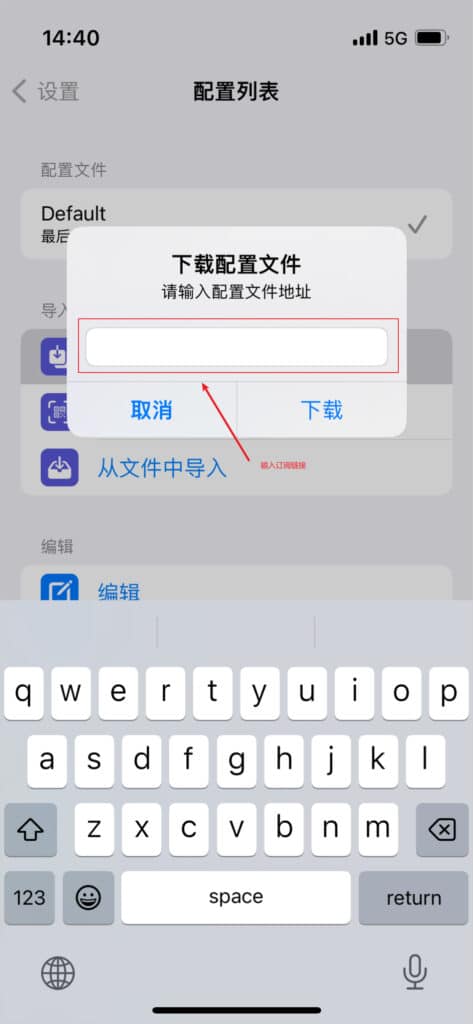
Select configuration
After importing, select that profile from the list, then return to the main screen.
Select node
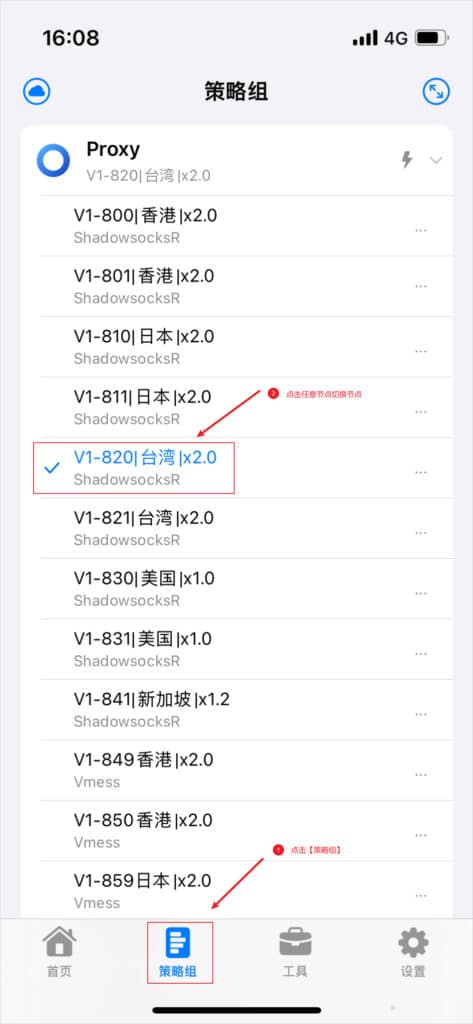
Tap Policy Groups at the bottom, view the node list, and select a node.
Start proxy
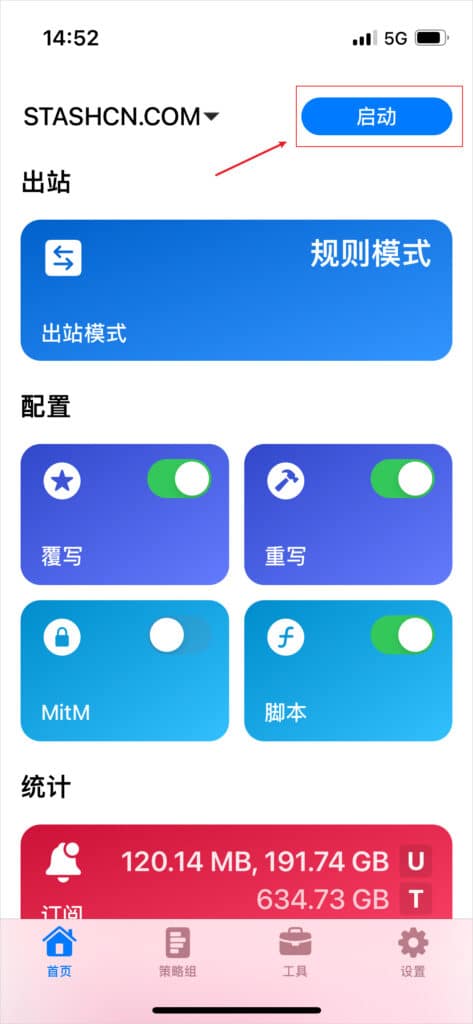
Return to Home, confirm the new profile is active in the upper-left corner, and tap Start on the right.
Outbound mode notes
The reference describes Rule, Global, and Direct modes. Rule mode is generally recommended.
- Rule: route by profile rules.
- Global: proxy all requests.
- Direct: bypass proxy.