
Client Introduction
Clash Meta for Android
Clash Meta for Android supports URL subscription import, configuration and node selection, and uses Android VPN permission to handle network traffic.
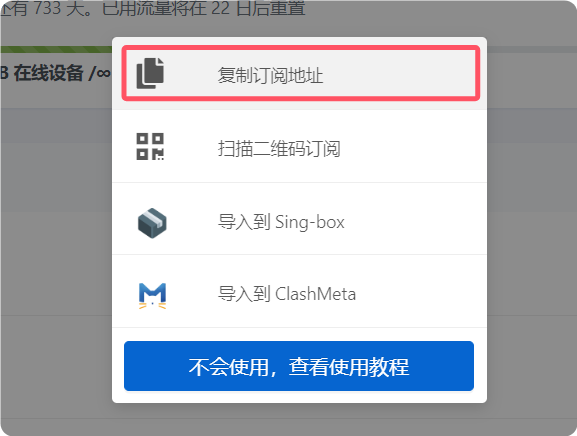
Get subscription
Copy the subscription URL from your provider.
Add subscription
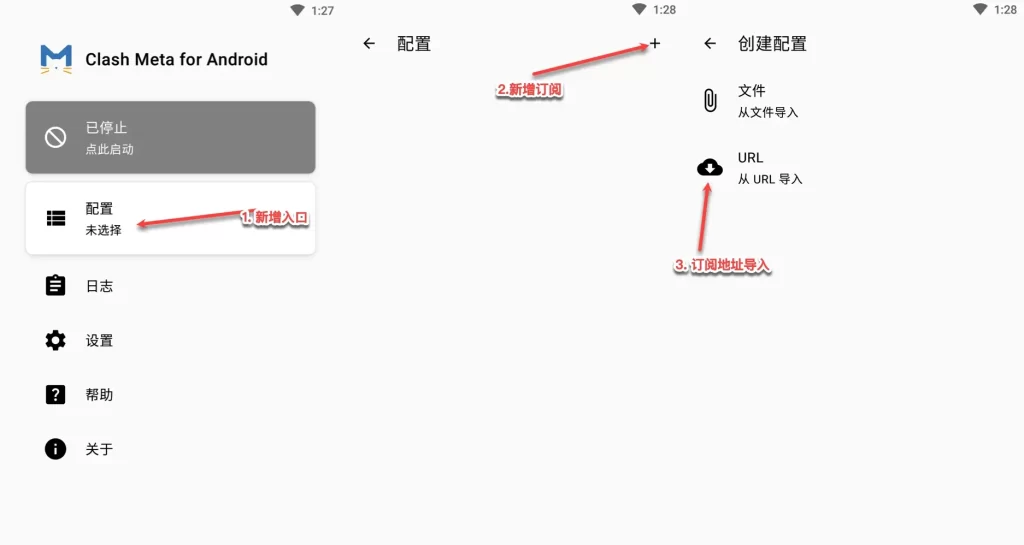
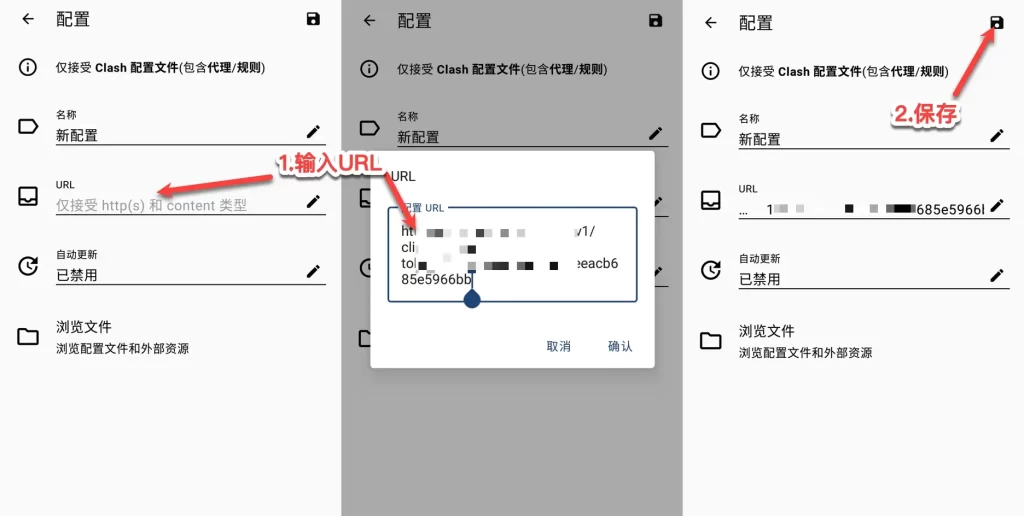
Tap Configuration > plus button > Import from URL. On the configuration page, paste the subscription URL into the URL field, confirm, and save.
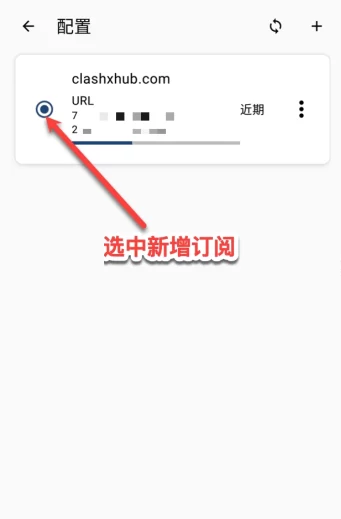
Select configuration
Select the newly added subscription on the configuration page, then return to the home screen.
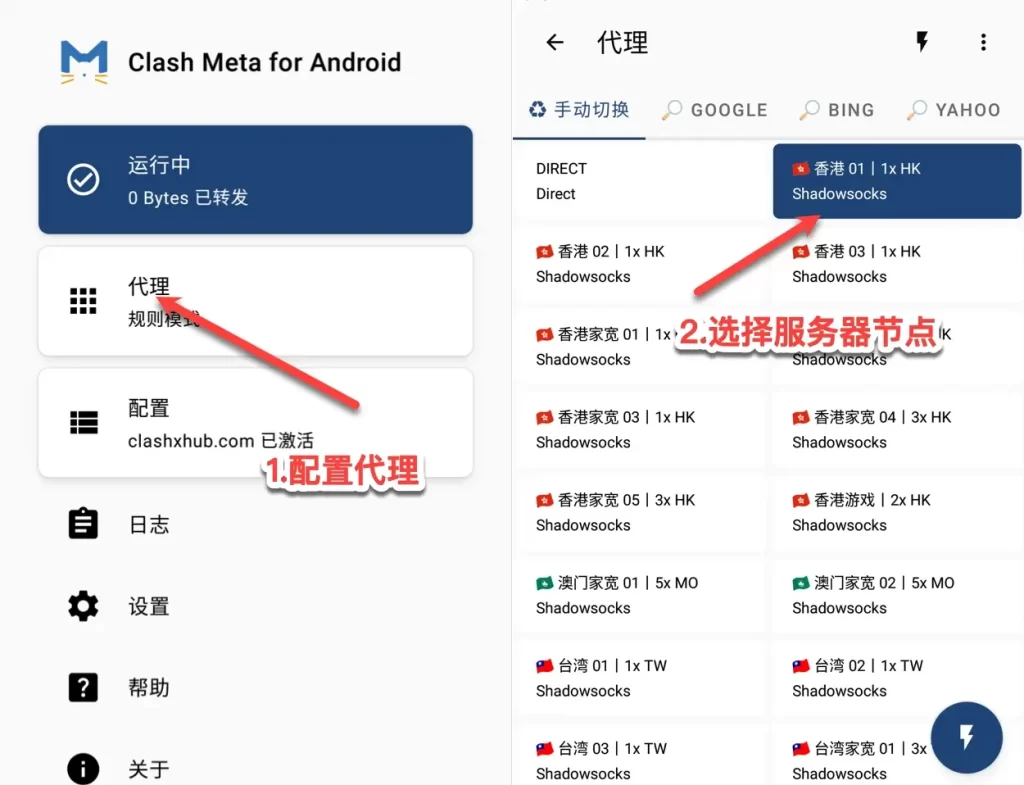
Select node
Open the proxy configuration and choose a proxy node before browsing through the proxy.
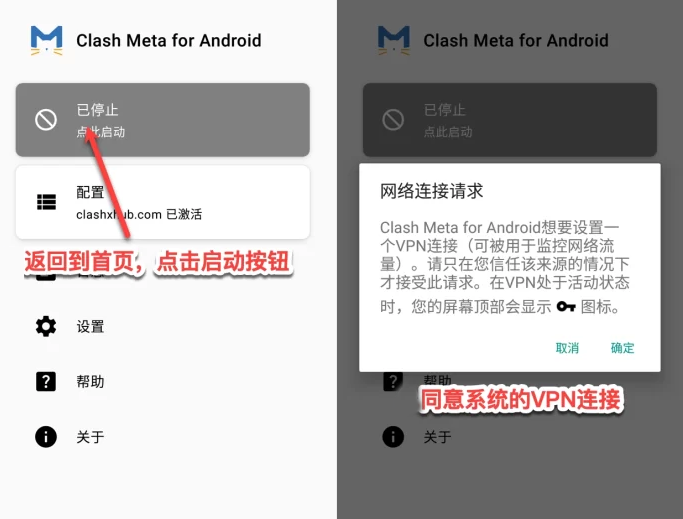
Start proxy
Tap the top start button. On first start, confirm the system network connection request.
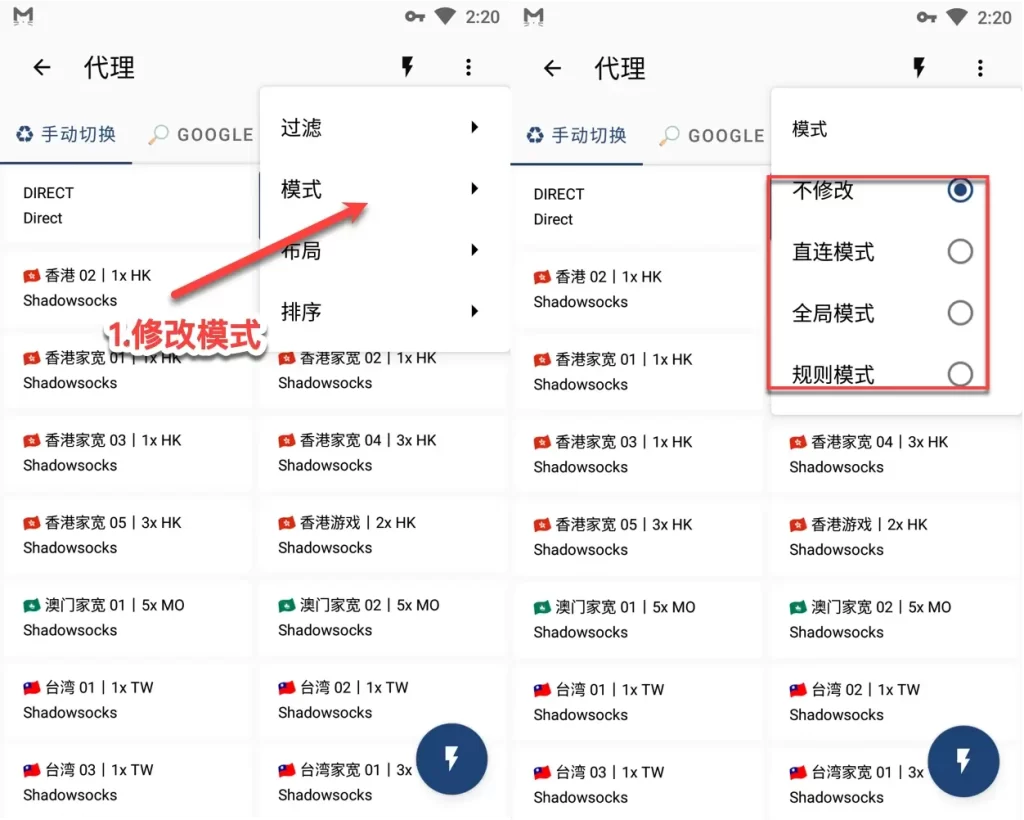
Proxy mode notes
The reference describes Global, Rule, and Direct modes. The default Rule mode is usually best for daily use; switch to Global temporarily when testing inaccessible sites.
- Global: send all requests through the proxy server.
- Rule: route by profile rules.
- Direct: send requests directly to the destination.