

Client Introduction
Clash for Android
Clash for Android is an Android Clash client whose main flow is importing a subscription profile, selecting it, granting VPN permission, and starting the proxy.
Get subscription
Copy the subscription URL from your provider. URL import is the method recommended in the reference.
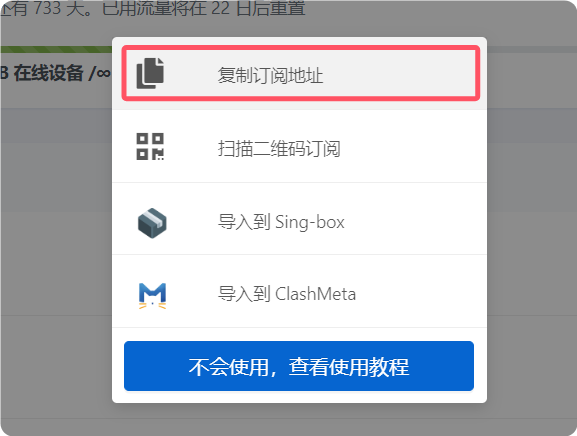
Add configuration
Open Clash for Android and tap Configuration. Tap the plus button, choose Import from URL, paste the subscription URL into the URL field, and save.
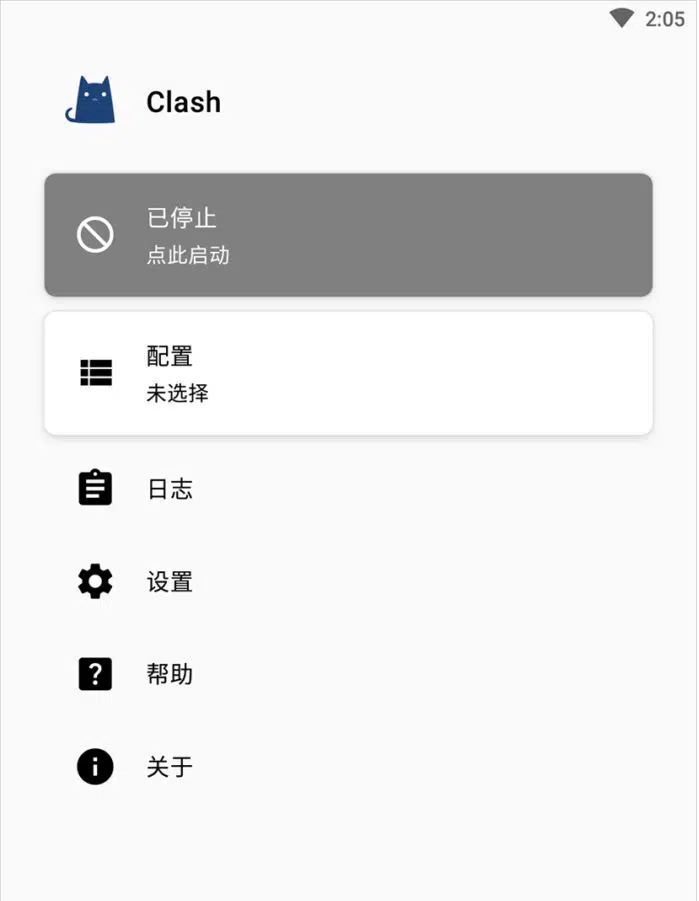

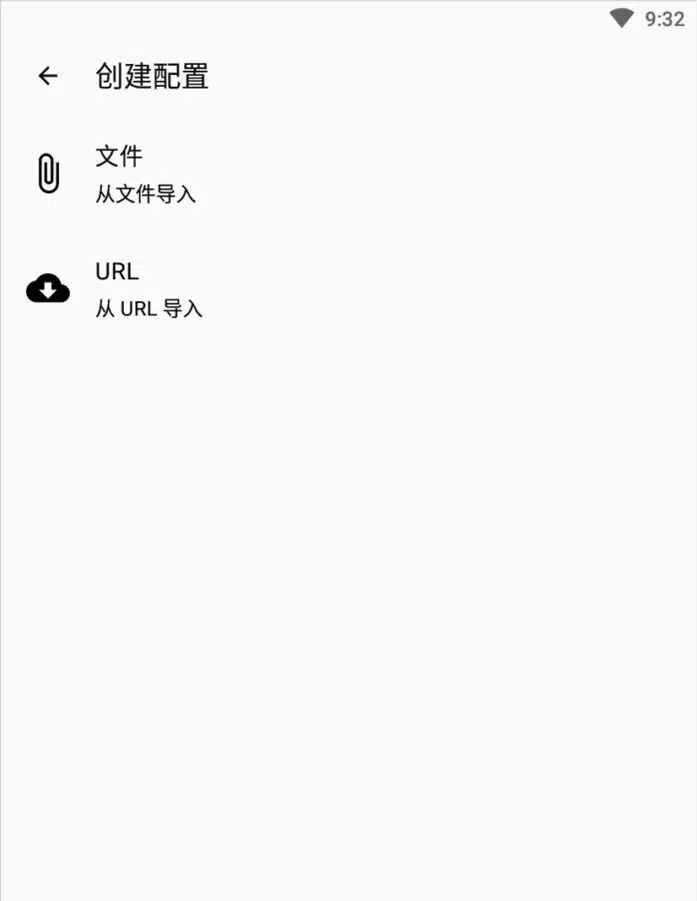
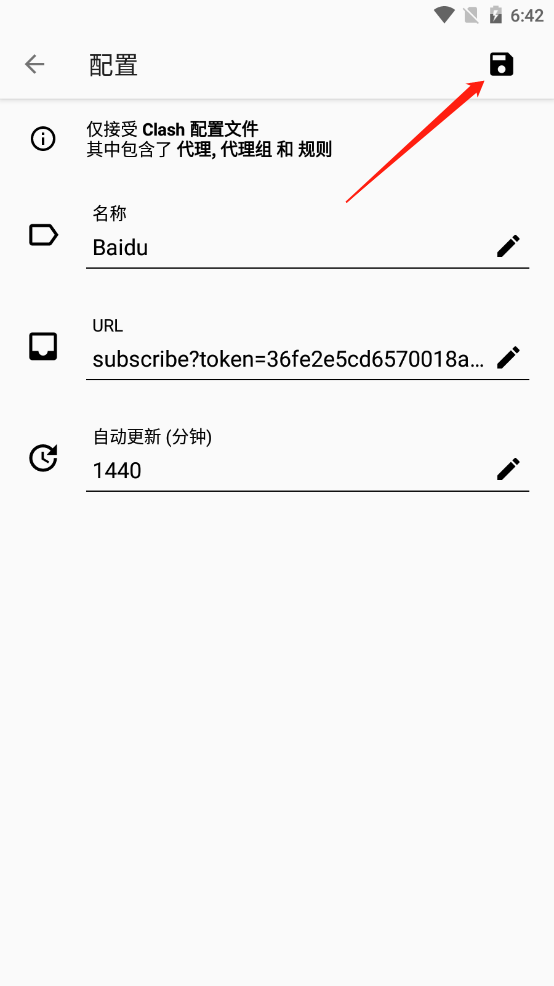
Select configuration
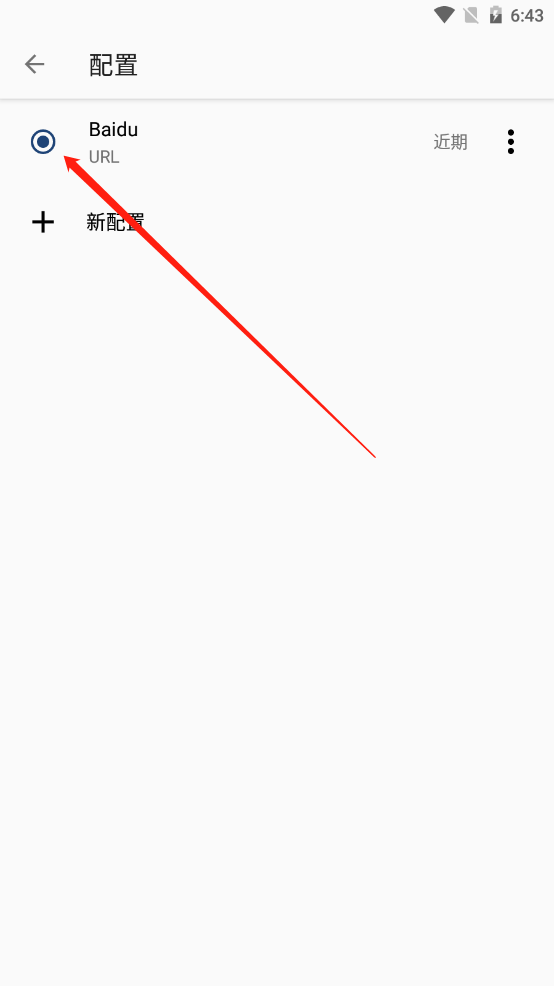
Select the configuration you just added from the list, then return to the main screen.
Start proxy
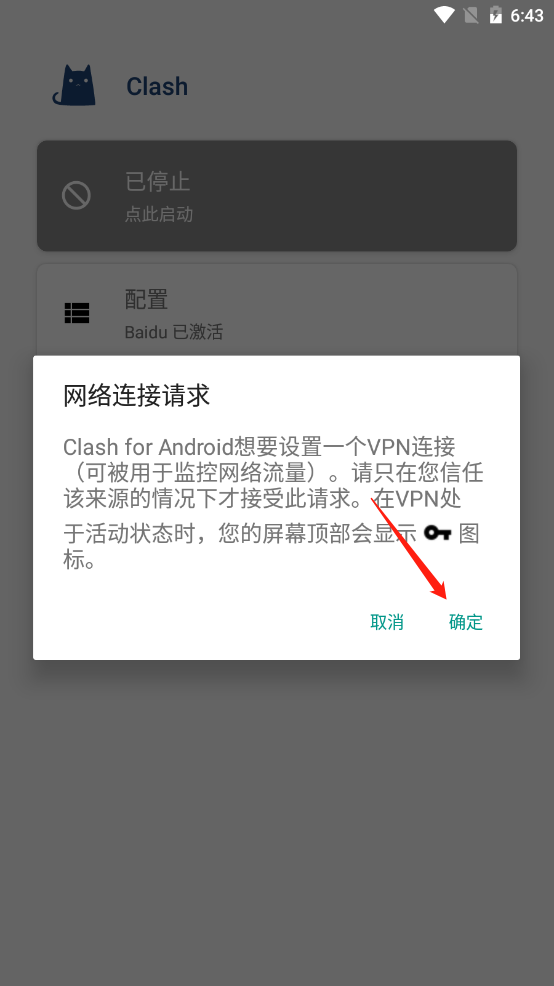
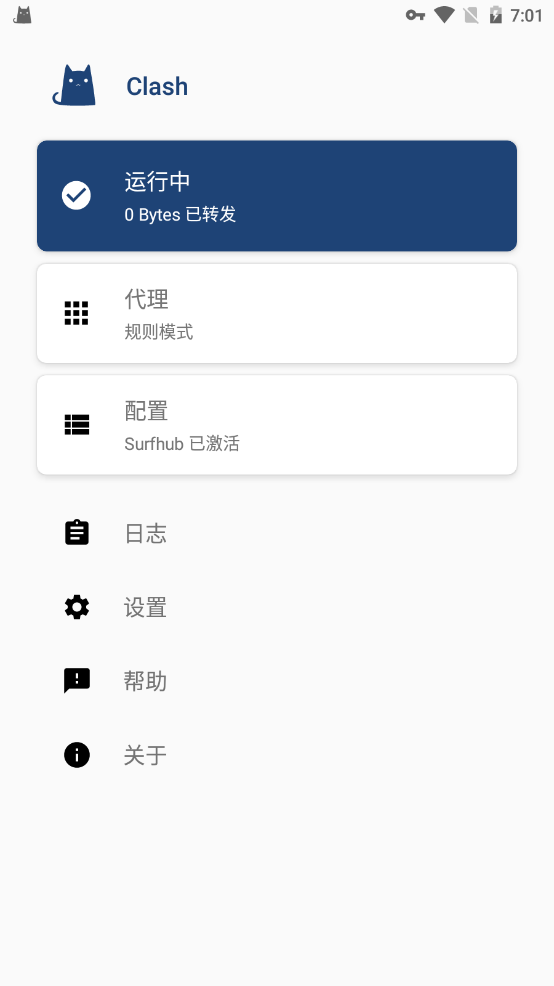
Tap Stopped to start proxy. On first use, Android prompts for VPN permission; confirm it. When the VPN key icon appears in the status bar, the profile is active.
Proxy mode notes
The reference lists Direct, Global, Rule, and Script modes. Rule mode is recommended unless you have a special need.
- Rule: route by profile rules.
- Global: proxy all requests.
- Direct: bypass proxy.
- Script: route by script rules.